

Sidebar Admin is visible to administrators only. It manages base datasets only; user-derived databases are not listed here.
Base dataset list
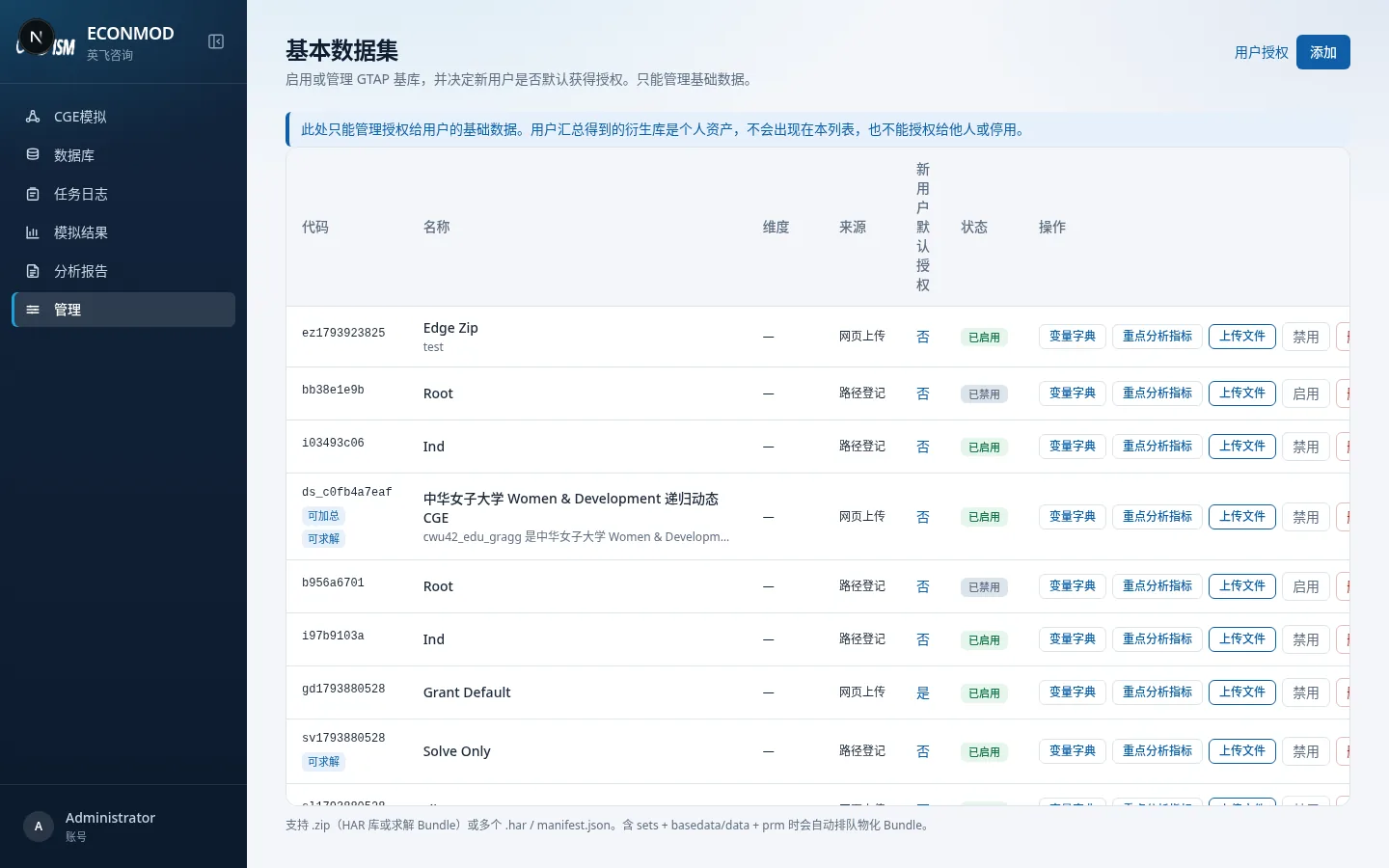
| Column / action | Notes |
|---|---|
| Code | System code; may carry aggregatable / solvable badges |
| Name / dimensions / source | Source includes config import, web upload, path registration |
| Default authorize new users | Whether new accounts get this database automatically |
| Status | Enabled / disabled |
| Variable dictionary | See 04 |
| Key analysis indicators | Database-level default measures |
| Upload files | Add zip / HAR / Bundle |
| Enable·Disable / Delete | Control visibility or remove |
Footer: supports .zip (HAR or solve Bundle) or multiple .har / manifest.json files; when sets plus basedata/data and prm are present, Bundle materialization is queued automatically.
User authorization opens the user–dataset matrix: choose which base databases each user may access; derived databases never appear.
Add a dataset
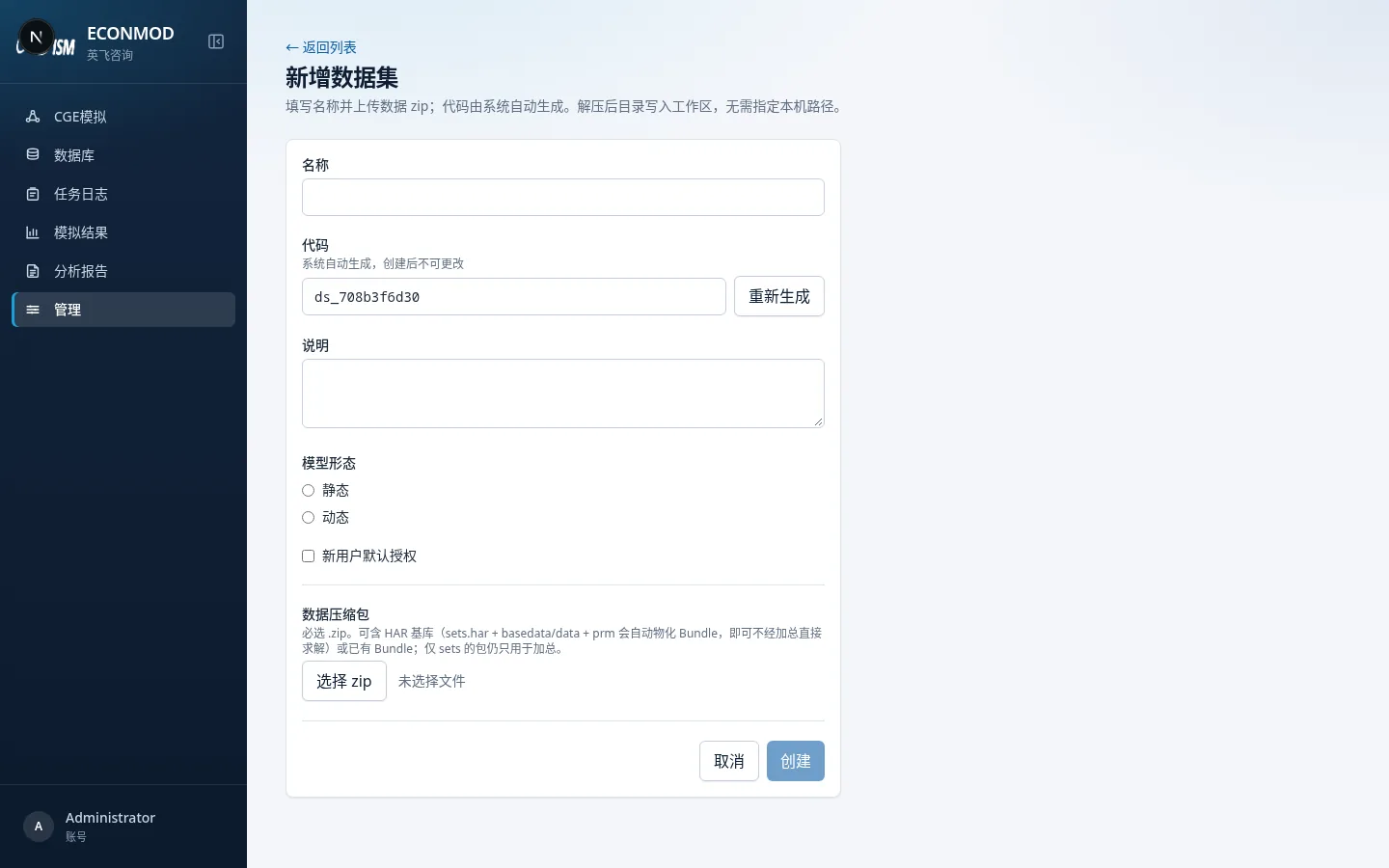
- Add → fill name and description.
- A data zip is required; the system generates the code and unpacks into the workspace.
- Create and upload; if materializable, a background job is queued—check Job log.
- After enable and user authorization, the database appears in users’ Datasets list.
Relationship to set elements
Bilingual set-element names are edited in the dataset workspace under Set elements / Sets (admin + base database), not as a separate menu on this list. Rename steps: 03.