

Shock scenario list
Overview → Shock scenarios, or the top Shock scenarios tab.
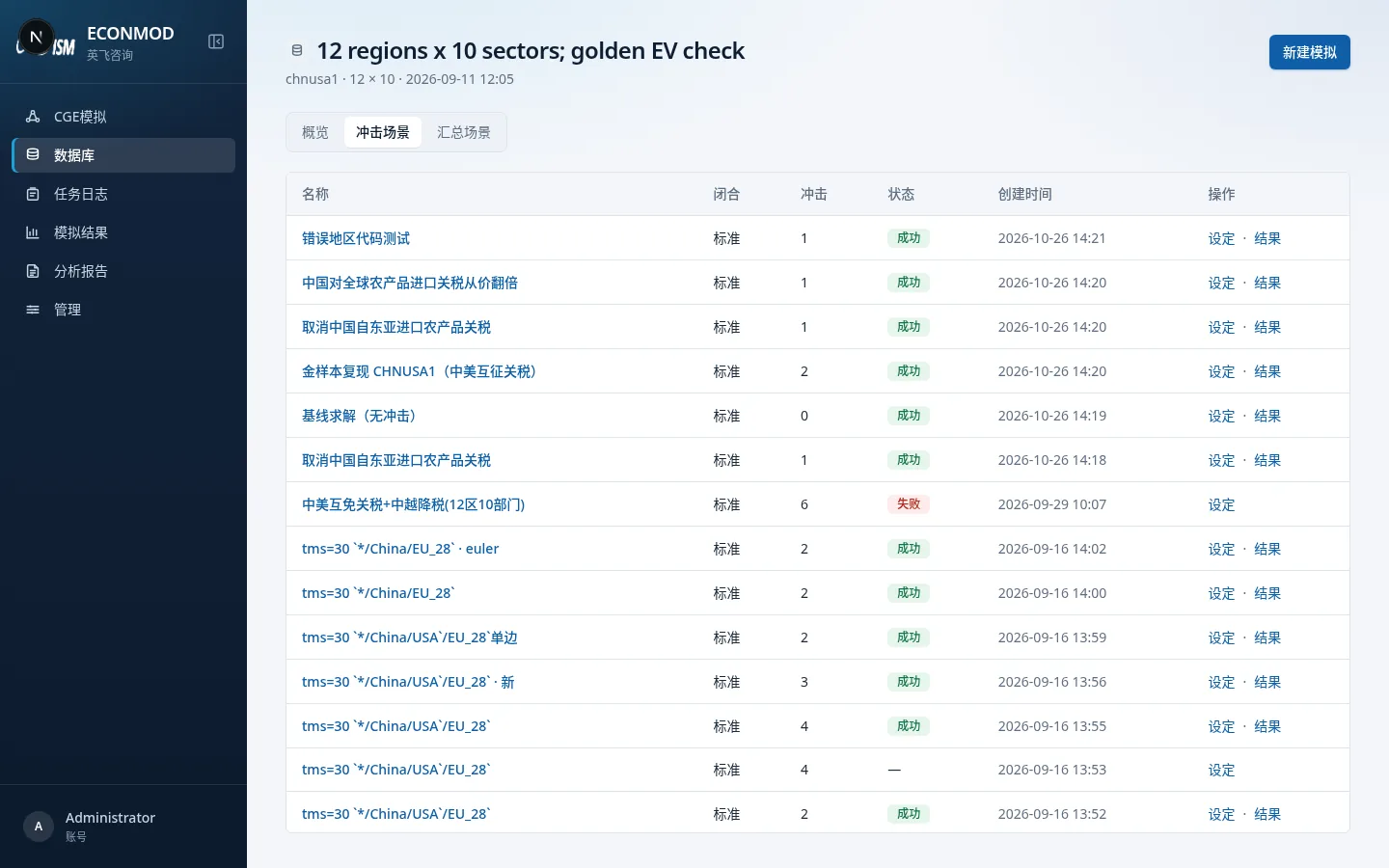
- Lists past scenarios for this database: name, closure, method, shock variables, job status, and more.
- Top-right New simulation opens the create page.
- An empty list prompts that there are no shocks yet and you can create one.
New simulation: common fields
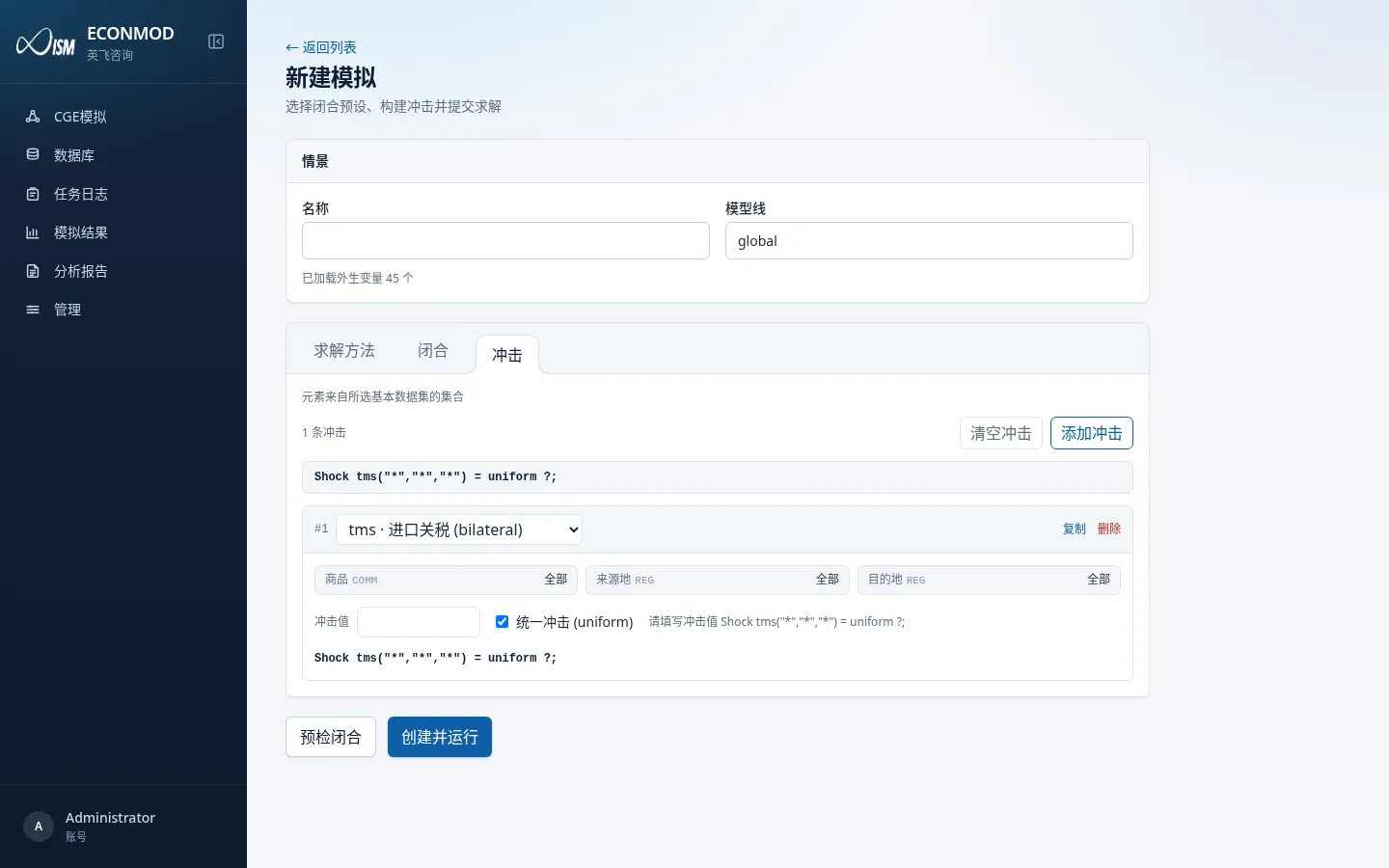
- Name: required scenario name.
- Model line: determined by the dataset (e.g. global); usually read-only.
- Linked aggregated database (optional): if omitted, use the base-dataset Bundle; if chosen, shock elements come from aggregation groups, and the aggregated database must be Ready.
- Three config tabs: Solution method, Closure, Shocks.
- Bottom actions: Pre-check closure, Create and run.
If no aggregated database is selected and the base database has no Bundle yet, materialization may be queued automatically before submit—check the job log.
Tab: Solution method
| Item | Notes |
|---|---|
| Method | e.g. Gragg / Euler / Midpoint / Johansen (as offered on the page) |
| Steps / extrapolation | Multiple step groups can use Richardson extrapolation (none / two-point / three-point) |
| Common combinations | Quick fill such as 2, 2·4, 2·4·6 |
| Iteration-related fields | Shown depending on method |
Tab: Closure
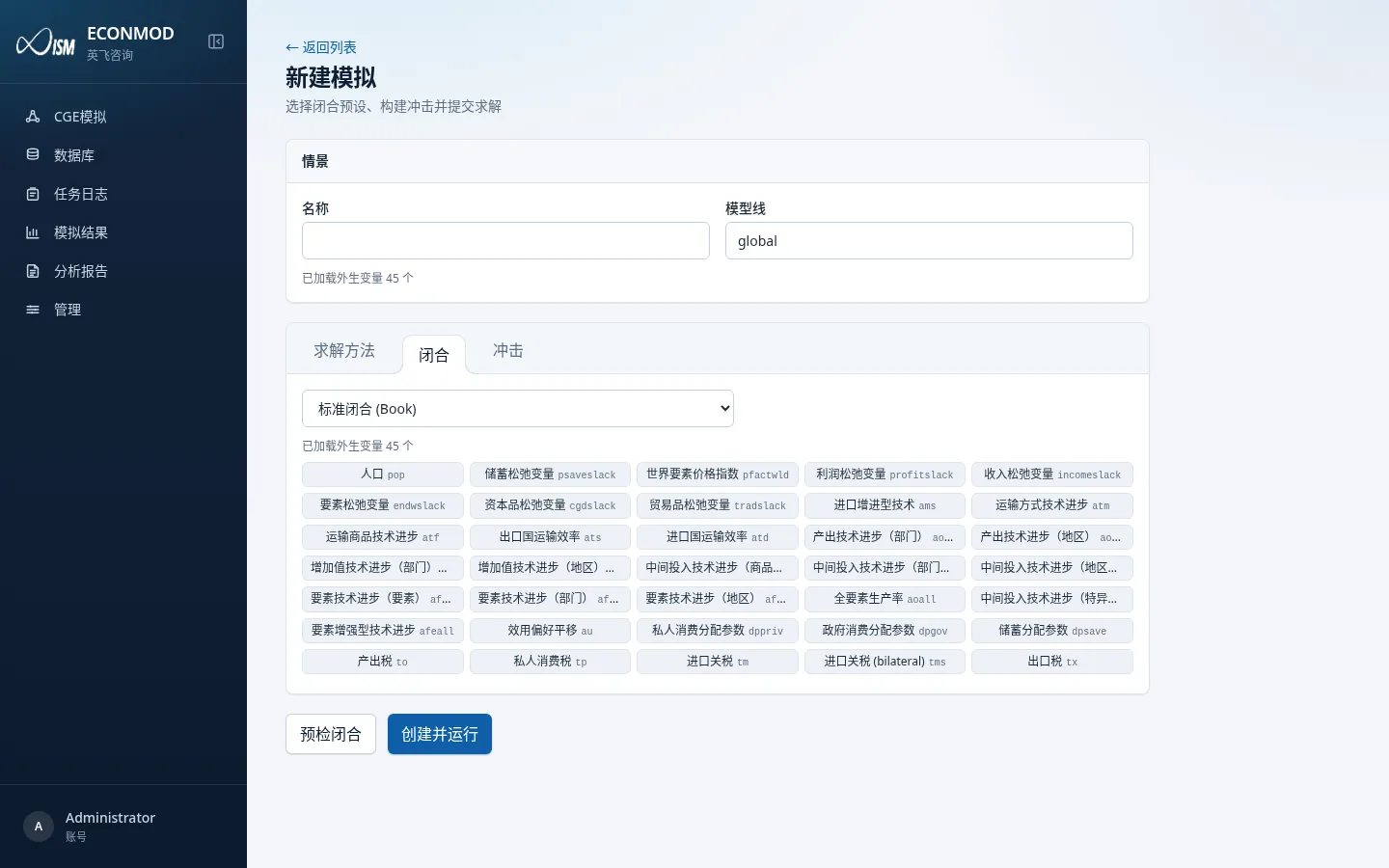
Presets:
| Value | UI label |
|---|---|
| book | Standard closure (Book) |
| short | Short-run closure (Short) |
| long | Long-run closure (Long) |
| self | Custom (Self) |
Custom mode lets you edit exogenous slices. Shock variables must be exogenous under the current closure, or pre-check / submit will fail.
Tab: Shocks
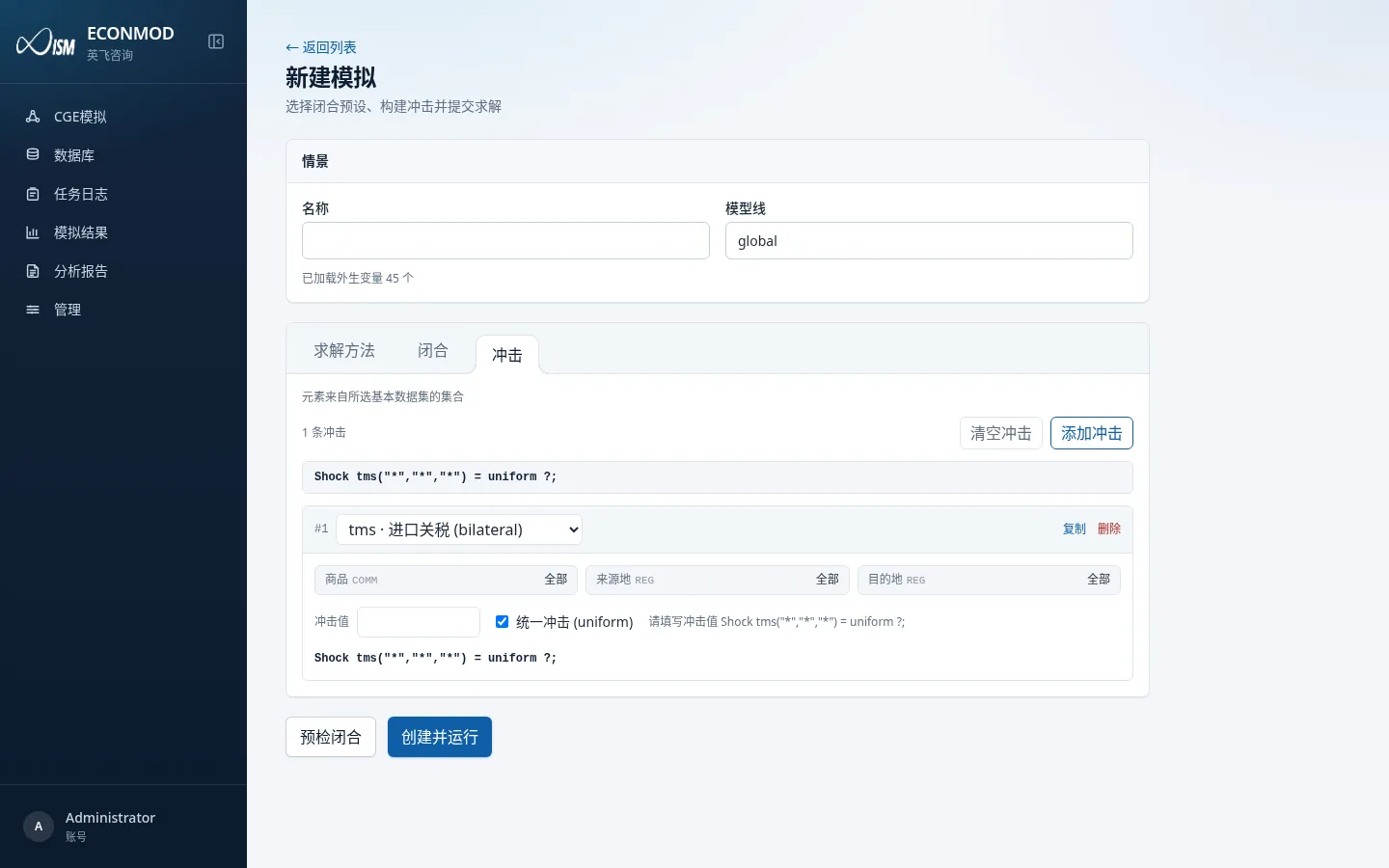
Toolbar
- Add shock / Clear shocks
- Count hint: “n shocks”
- Element-source hint: from the base-dataset sets, or “elements from groups of aggregated database ‘…’”
Editing one shock
| Control | Notes |
|---|---|
| Variable dropdown | e.g. tms · Import tariff (bilateral); names come from the variable dictionary |
| Dimension pickers | e.g. commodity COMM, source REG, destination REG; choose All or a specific element (display names from the set-elements table) |
| Shock value | Numeric |
| Uniform shock | Usually required when the statement contains * or aggregate set names; do not check when every dimension is a concrete element |
Preview lines look like: Shock tms("*","*","*") = uniform ?;
Each row can be Copied or Deleted. You may also import shock statements into the editor when the page offers import.
Common checks (before save/run)
- No variable selected / no value filled
- Variable is not exogenous under the current closure
- All conditions are
* - Duplicate conditions, nested overlaps, or identical conditions except the value
- Missing
uniformwhen required, oruniformwrongly applied to concrete elements
After submit
- Create and run queues a solve job.
- Check status and logs under Job log.
- On success, open the variable table under Simulation results; you can also enter the scenario from the shock list.