

Sidebar CGE simulation. The assistant can explain data and draft shocks or aggregation / dynamic plans; any change takes effect only after you confirm.
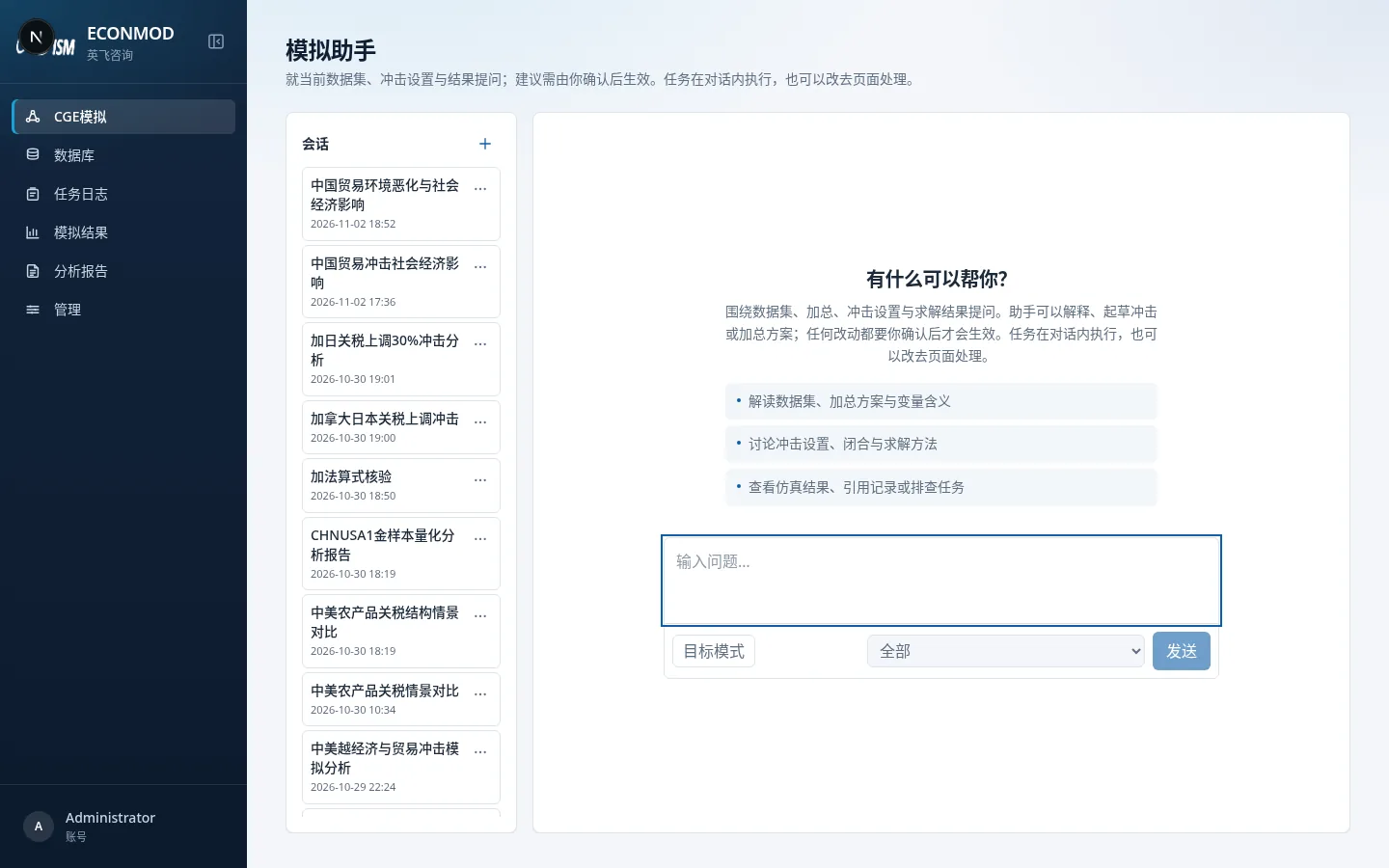
UI
| Area | Actions |
|---|---|
| Left session list | New session, rename, delete (delete is permanent) |
| Main chat | Send questions; while generating you can Stop or Stop and clear queue |
| Input box | Ordinary questions; turn on Goal mode to push toward one goal over multiple turns |
Welcome prompts cover reading datasets and aggregations, discussing shocks/closures/methods, viewing results, or diagnosing jobs.
Relationship to pages
- Tasks can run inside the chat, or you can switch to the page and edit in the shock / dynamic editors.
- From the dynamic editor, Ask assistant carries the current scenario context.
- The assistant depends on EconAgent; without configuration, capabilities are unavailable or degraded.
Goal mode
After enabling it, enter a goal text. Statuses include in progress, achieved, blocked, cancelled, replaced, budget exhausted, failed, and similar (follow on-page prompts). You can change or cancel the goal mid-flight.