

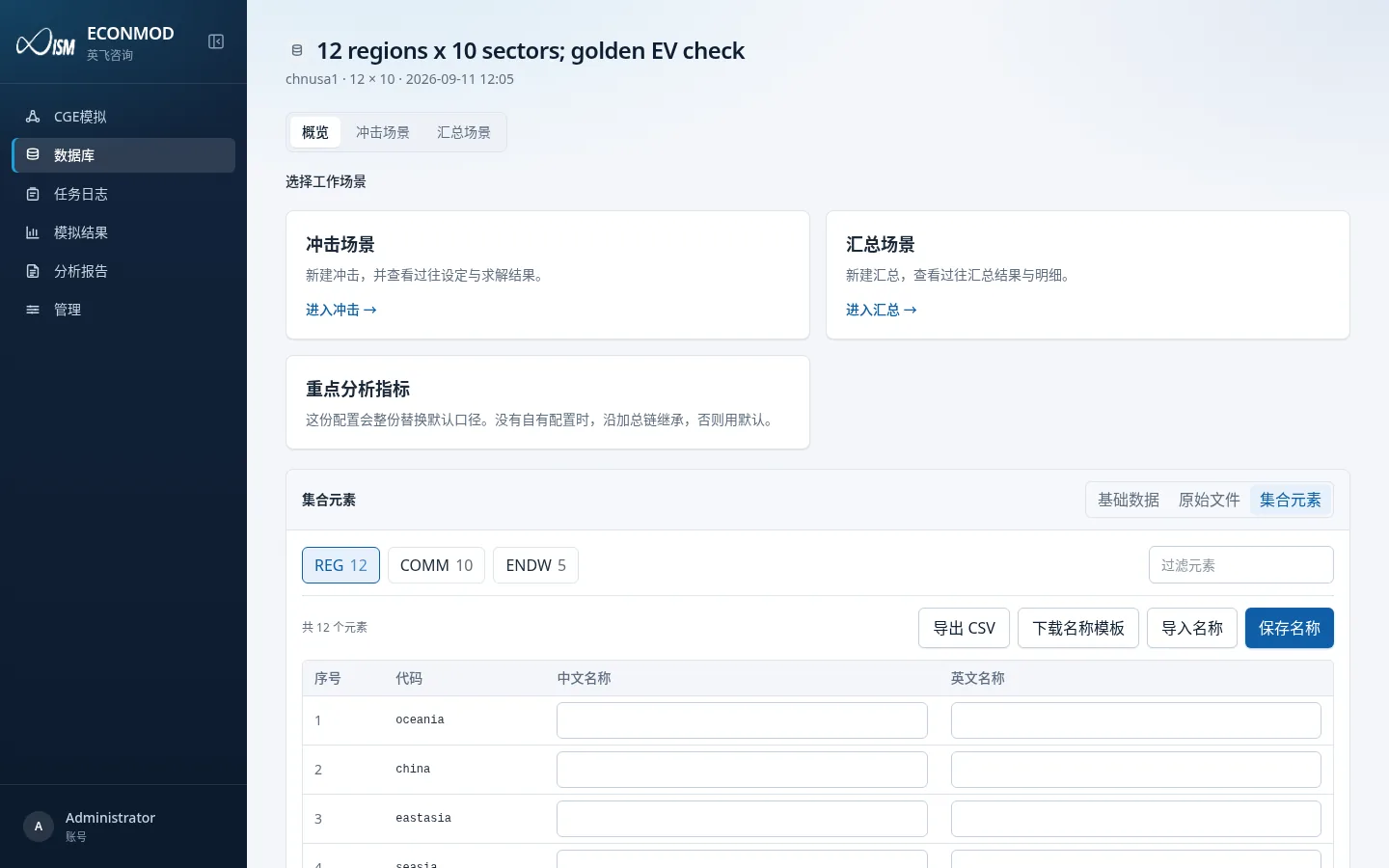
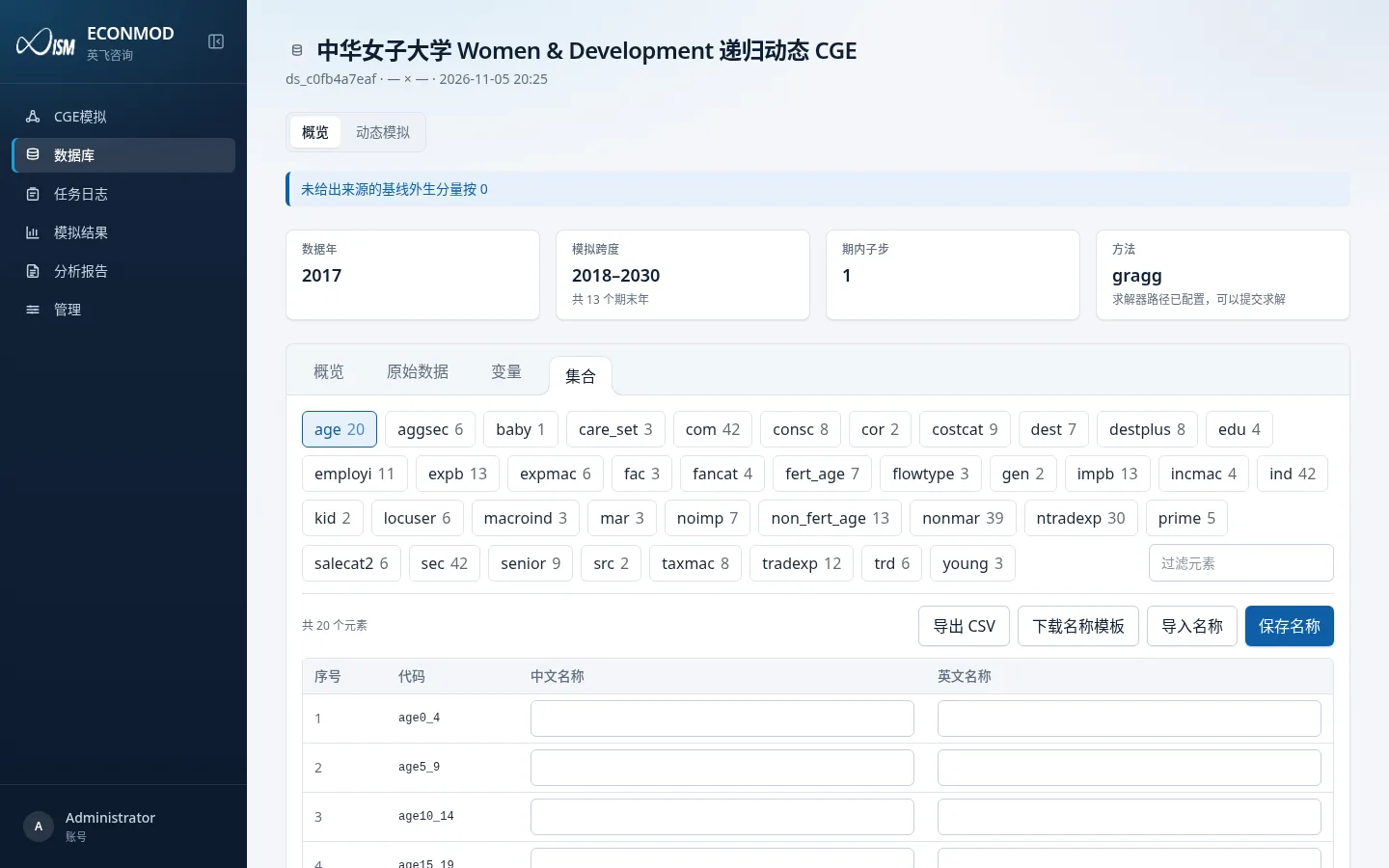
The set-elements table lists member codes for regions, commodities, endowments, and similar sets, and lets you maintain a Chinese name and English name for each code. Those names appear in shock pickers, result tables, chart legends, and more; the codes themselves cannot change.
Entry points
Static database: Dataset overview → switch the lower data pane to Set elements.
Dynamic database: Dataset overview → Sets tab (alongside Overview / Raw data / Variables).
Static set-elements page:
Dynamic sets page (same editor table):
Permissions (who can edit)
| Role / database type | Can edit names? |
|---|---|
| Admin + base dataset | Yes (shows Download name template / Import names / Save names) |
| Regular user + base dataset | Read-only; prompt that only admins can edit |
| Any user + derived database | Read-only; prompt that names inherit from the base dataset and must be edited there |
Save uses an admin API; unsaved edits stay as a page draft.
UI elements
- Set switcher: e.g.
REG,COMM,ENDW(buttons show element counts). The table below shows only the selected set. - Filter elements: right-hand box filters the current set by code or name.
- Table columns
| Column | Editable | Notes |
|---|---|---|
| Index | No | Order within the set (displayed from 1) |
| Code | No | Member code; solves and shock pickers depend on it |
| Chinese name | Yes (when permitted) | Preferred in Chinese UI |
| English name | Yes (when permitted) | Preferred in English UI; English does not fall back to Chinese—missing values show the code |
- Export CSV: exports the current set (including draft names). Filename like
{dataset-code}-{set-code}.csv; headerset,index,code,name_zh,name_en. - Download name template: empty template with header
set,code,name_zh,name_en(BOM included). - Import names: choose a CSV. Header must include
setandcode; name columns may bename_zh/中文名称,name_en/英文名称. Only existing(set, code)pairs in this database are updated; after import you see “Filled n names; save to apply”, then click Save names. - Save names: writes the draft to the server. Only rows with at least one of Chinese/English filled are submitted; clearing both removes stored names for that member. Success message: set-element names saved.
Recommended rename flow (admins)
- Open a base dataset → Set elements (or dynamic Sets).
- Switch through
REG/COMM/ENDWand similar sets. - Edit Chinese name / English name in the table, or:
- Download name template → fill locally → Import names → verify counts → Save names.
- Switch UI language to Chinese / English and confirm shock pickers or result tables look right.
Notes
- Sets come from
sets.har; if the database “does not provide sets.har”, set elements cannot be browsed. - Derived databases have no effective rename path: edit the parent base database; derived side inherits read-only.
- Import never creates new codes; unknown
set+codepairs are skipped silently.