

Dynamic simulation list
Top tab Dynamic simulations: create or open existing simulations.
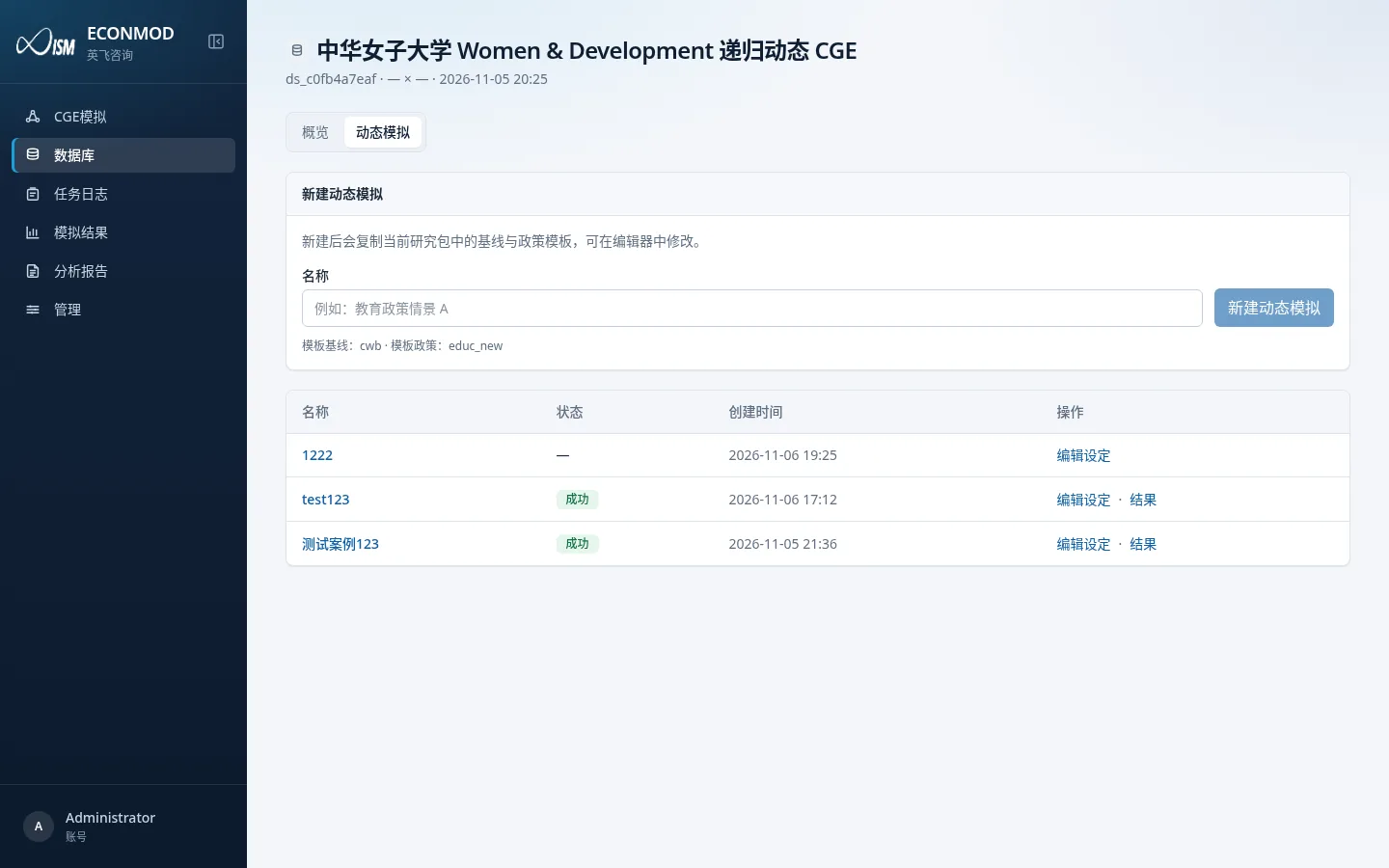
- In New dynamic simulation, enter a name (e.g. “Education policy scenario A”).
- The prompt shows which template baseline / policy names will be copied.
- After create, you enter that simulation’s editor; the list can Edit settings or open results.
Editor overview
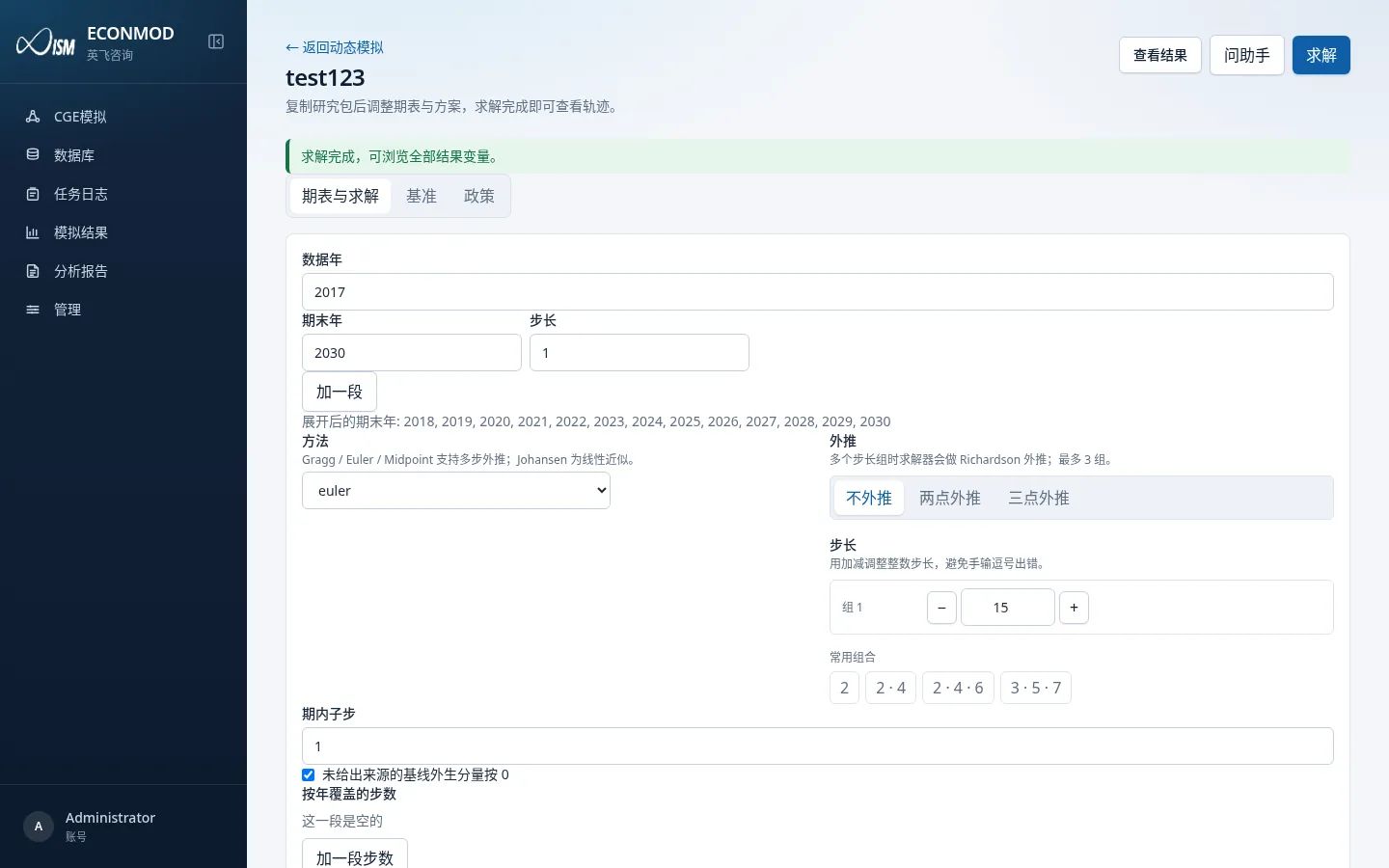
Common top-bar actions: Back to dynamic simulations, View results, Ask assistant, Solve.
Three main tabs:
| Tab | Contents |
|---|---|
| Horizon & solve | Year span, solution method, step overrides |
| Baseline | Baseline scenario: closure segments, shocks, assignments |
| Policy | Policy scenario: closure mode, swaps, policy shocks, comparisons |
Switching tabs with unsaved changes asks whether to save first.
Horizon & solve
| Control | Notes |
|---|---|
| Data year | Starting year of the study data |
| Terminal years / step | Add a segment to build multi-segment spans; expanded terminal years list below |
| Method | e.g. euler / gragg / midpoint / johansen |
| Extrapolation | None / two-point / three-point |
| Baseline steps | Numeric steps and common combinations |
| Intra-period substeps | Subdivision within a period |
| Year-specific step overrides | Add a step segment to cover some years with different steps |
| Zero default | “Treat missing baseline exogenous components as 0” |
Save horizon / solve settings, then click Solve to submit the job.
Baseline
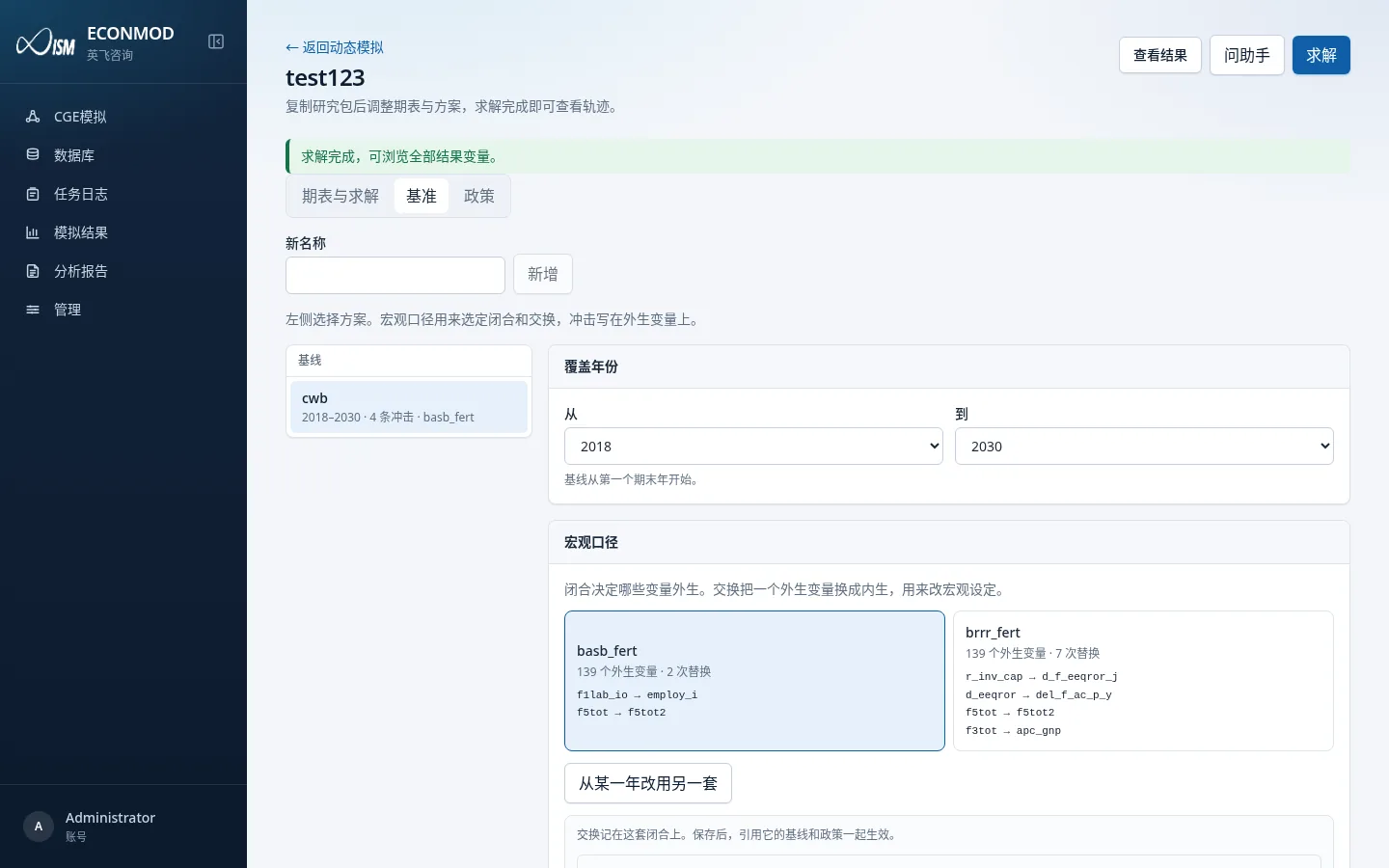
Pick a baseline scenario name on the left. Macro measures choose closures and swaps; shocks are written on exogenous variables.
You can maintain:
- Closure segments (year coverage must abut end-to-end, with no overlap and no empty years)
- Shocks (percent / change / reach level / fill gap, etc.; may reference data-pack arrays)
- Assignments (write coefficient levels before solve)
Policy
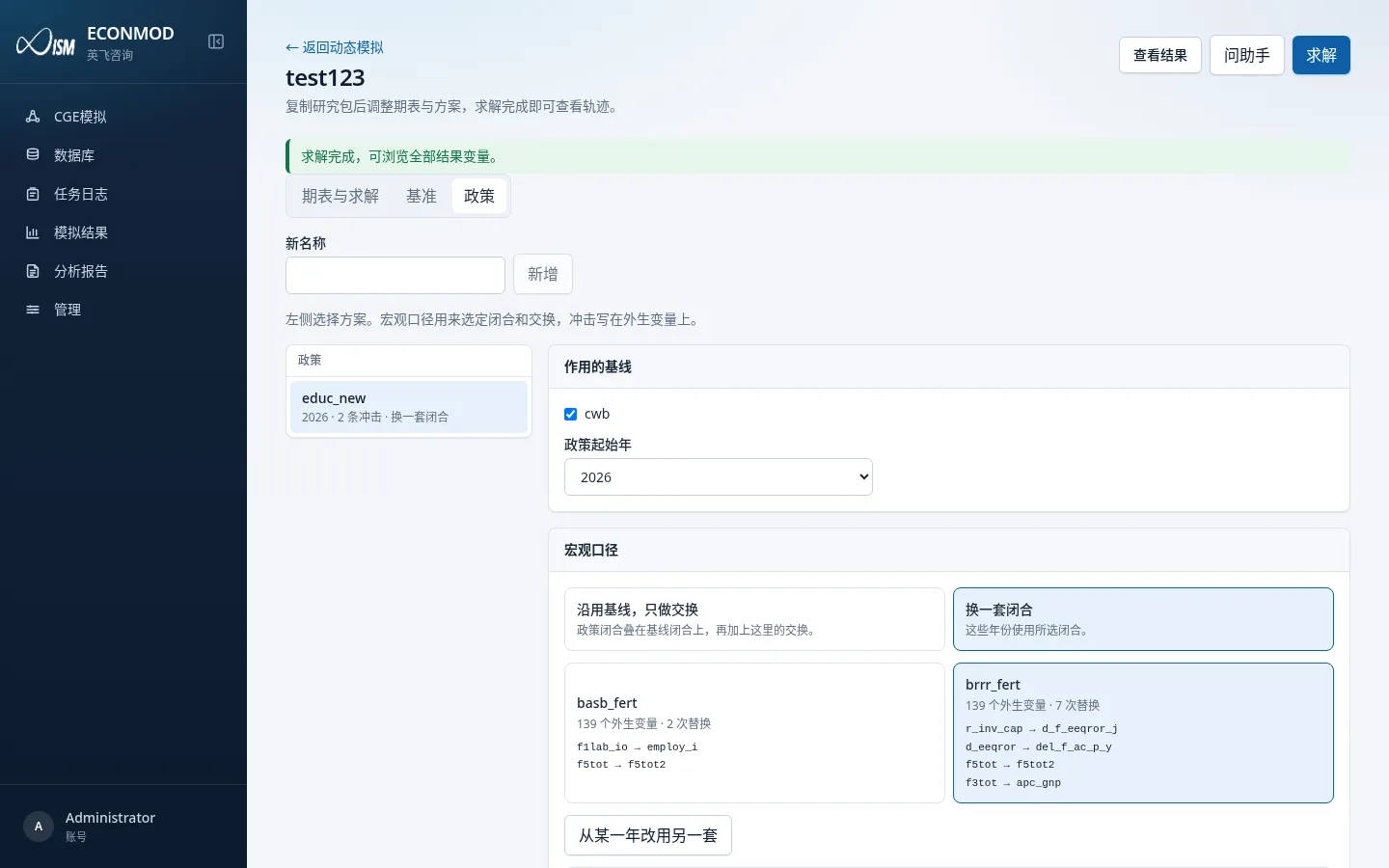
Common settings relative to baseline:
| Mode | Meaning |
|---|---|
| Keep baseline, swaps only | Stack on the baseline closure, then add this policy’s swaps |
| Switch to another closure | Use another named closure for selected years |
You can also set policy start year, policy shocks (add on baseline / replace / scale, etc.), and scenario comparisons (difference between two scenarios).
Swap rule: variables swapped out (become endogenous) and swapped in (become exogenous) must both be listed and match in count.
Solve & results
- Top Solve queues a dynamic job → track it in Job log.
- View results opens the dynamic result browser: pick variables by catalog, load time series, compare scenarios.
- Success banner example: “Solve finished; browse all result variables.”
Dynamic and static results both appear under Simulation results, but the detail UI differs (paths vs one-shot tables). Reports must use a Dynamic-path report; see 10.