

Set elements answer “what is this region/commodity called?”; the variable dictionary answers “what are variables qo and ev called?”; key analysis indicators decide which measures the results page shows by default.
Variable dictionary (admins)
Path: Admin → Base datasets → Variable dictionary on a row, or open that database’s dictionary page directly.
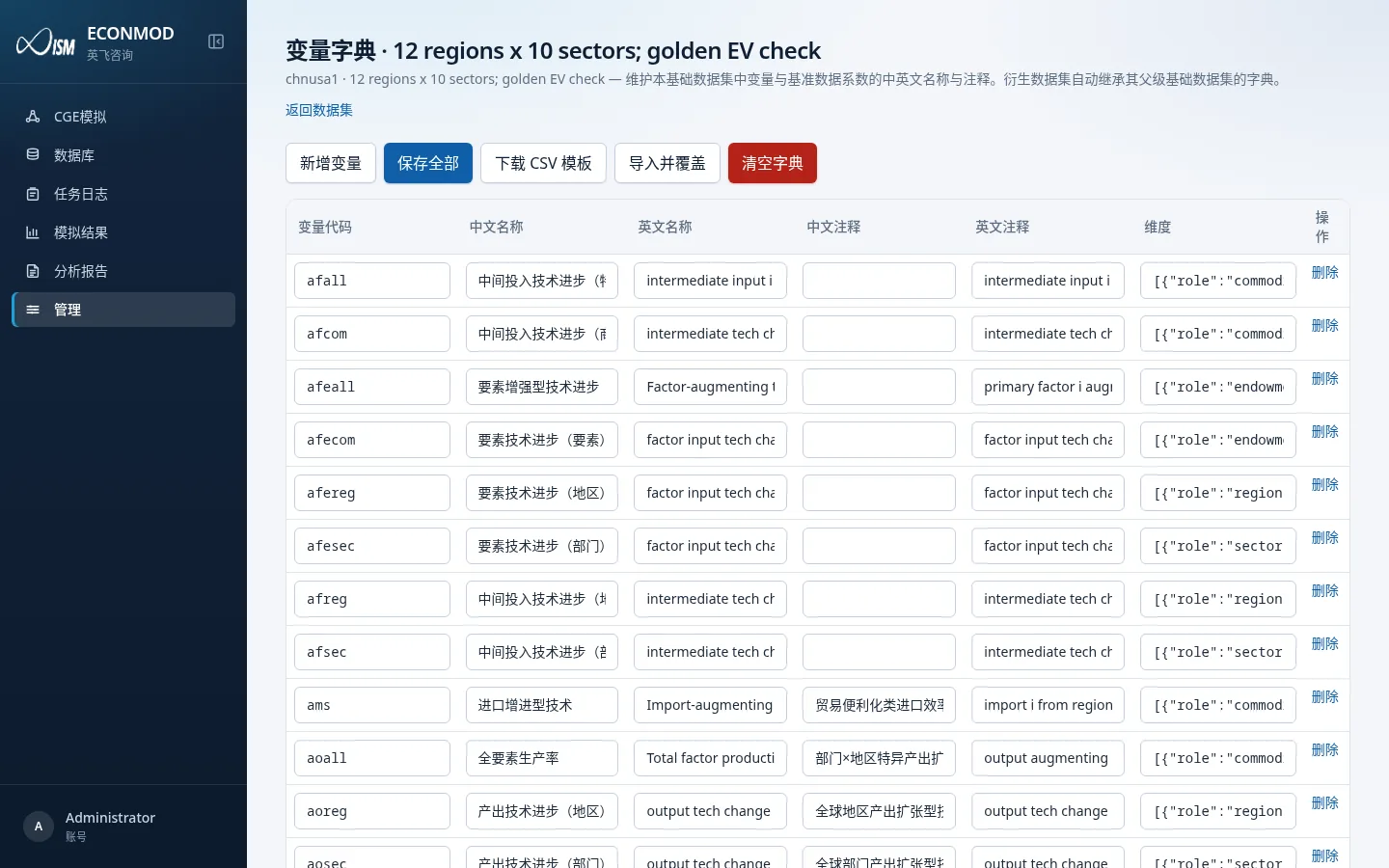
Table columns
| Column | Notes |
|---|---|
| Variable code | Technical code; must be unique among rows; empty codes cannot be saved |
| Chinese name / English name | Display names for UI and export |
| Chinese note / English note | Extra explanation |
| Dimensions | JSON text describing role dimensions (e.g. commodity / region) |
| Actions | Delete removes the row |
Toolbar
| Button | Role |
|---|---|
| Add variable | Append an empty row |
| Save all | Write back to the server |
| Download CSV template | Header code,name_zh,name_en,note_zh,note_en,dims |
| Import and overwrite | Use a CSV to replace the whole dictionary (high risk—export a backup first) |
| Clear dictionary | Delete every entry |
Important: the dictionary hangs on the base dataset; derived databases inherit the parent base dictionary and are not maintained separately.
Key analysis indicators
User side (any authorized database)
Overview card Key analysis indicators, or path /datasets/{id}/indicators.
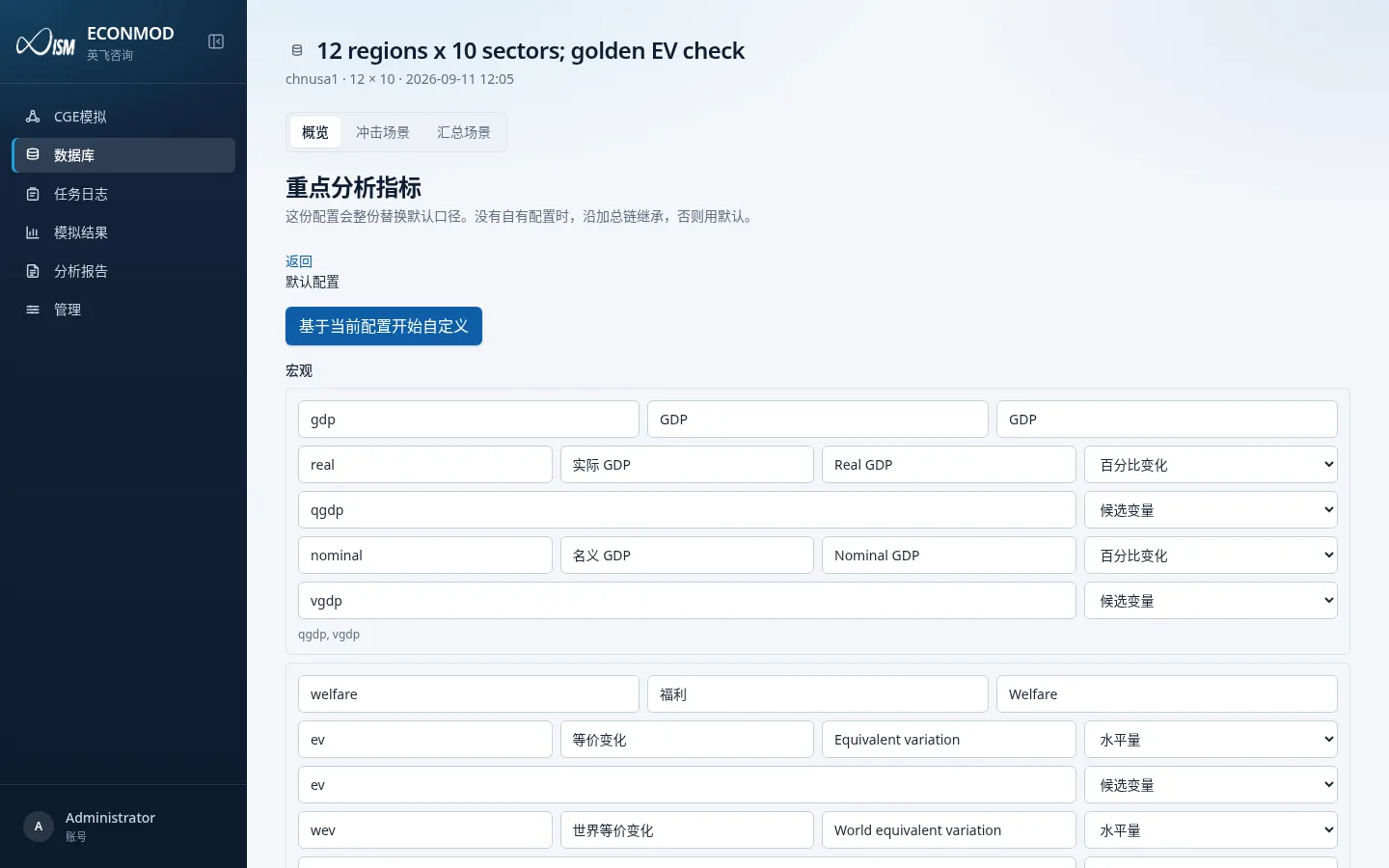
- Config source may be: own config / inherited from another database / default config.
- After Customize from current config, you can add/remove indicators, set macro/sector candidate variables, percent vs level, and fallbacks when a series is missing.
- Actions: Save, Discard changes, Restore default or inheritance, Export JSON, Import JSON, Preview against dictionary.
- Leaving with unsaved changes asks for confirmation.
Admin side
Admin → Base datasets → Key analysis indicators maintains that base database’s default measures.
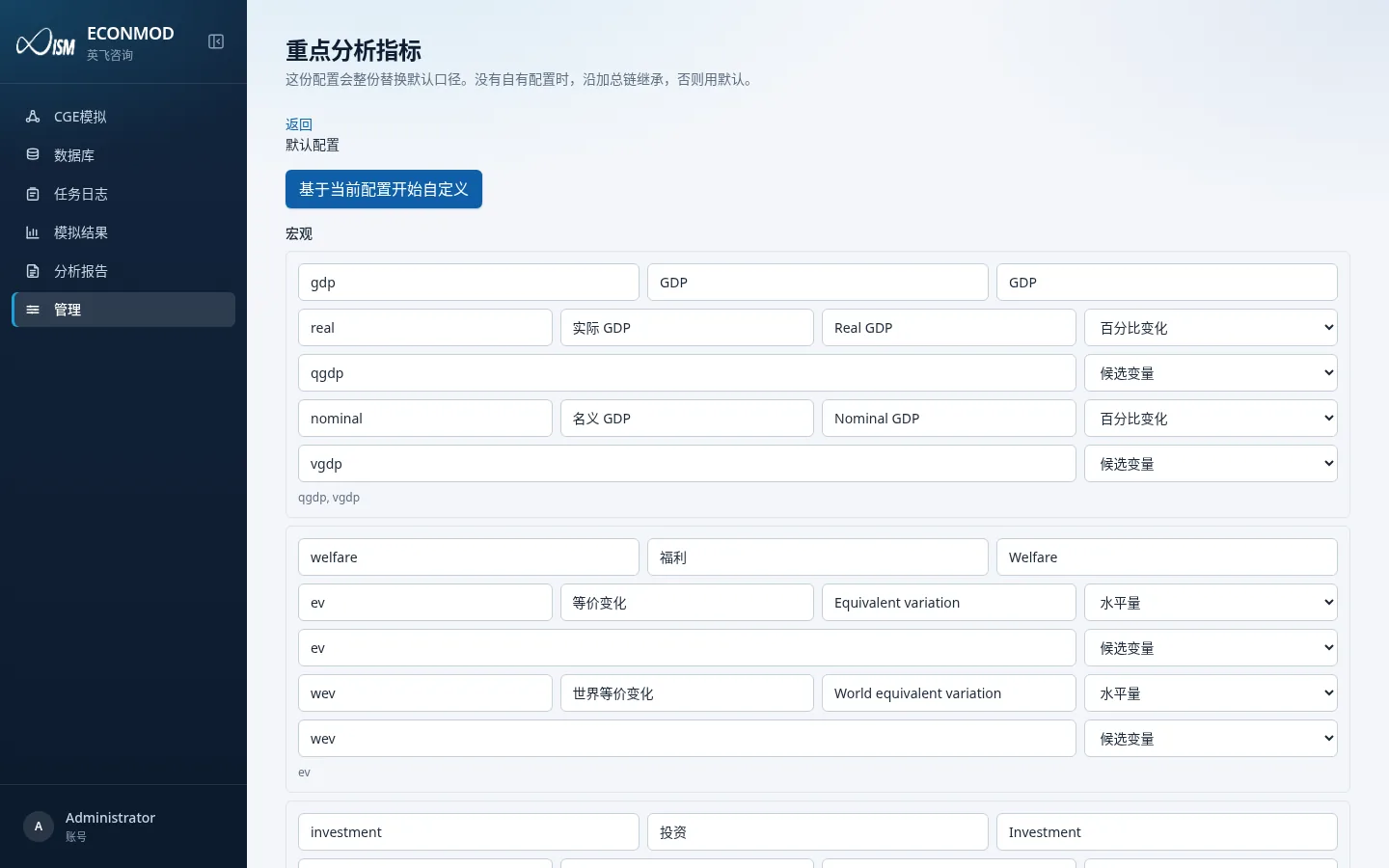
A user’s own config fully replaces the default; without an own config, inheritance follows the aggregation chain, otherwise the default is used.