

List page
Sidebar Datasets lists databases available to the current account.
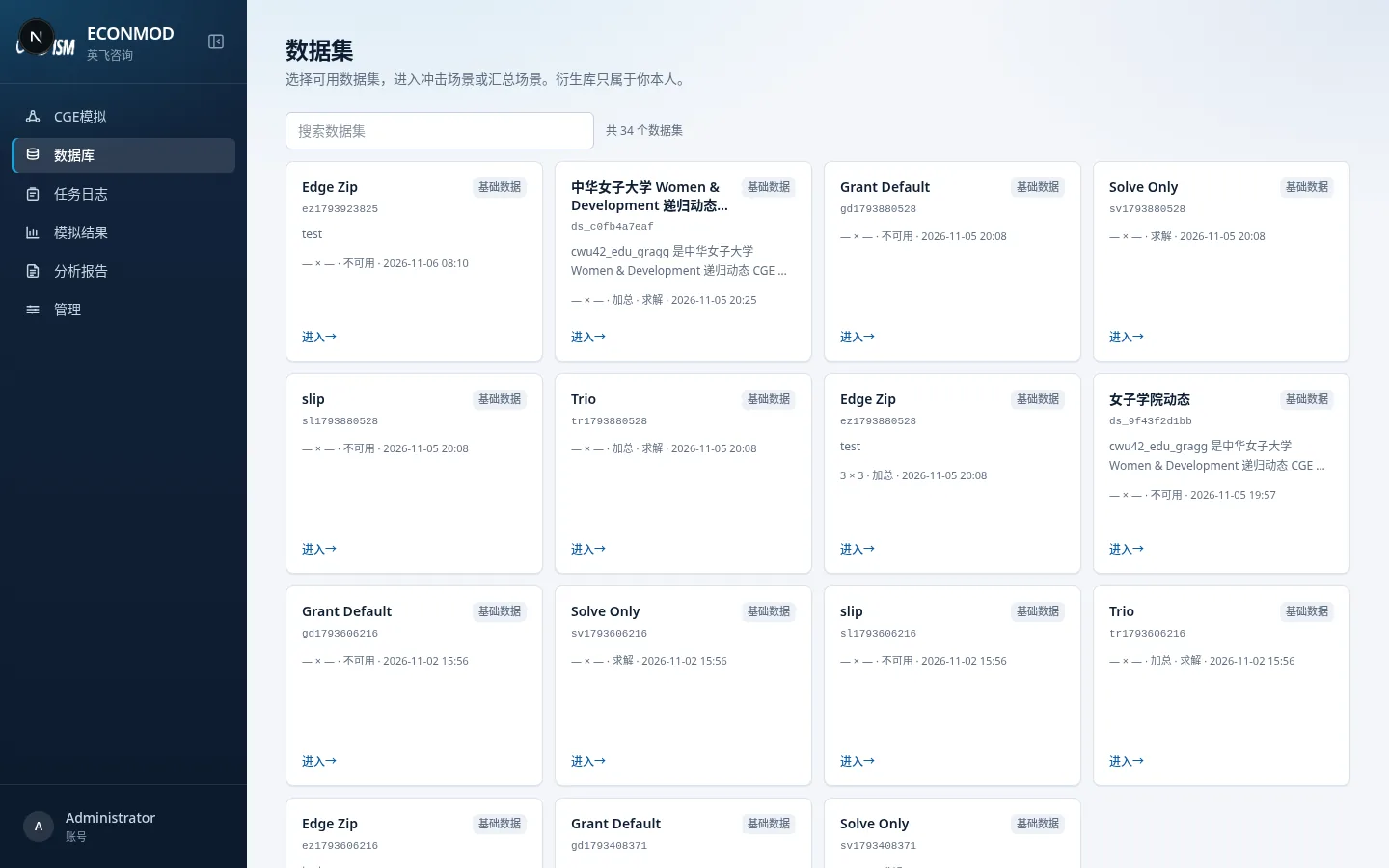
Key actions:
- The top search box filters by name / code / description.
- Each card shows: name, base data or My derived, code, description, size (regions × sectors), aggregatable / solvable flags, and update time.
- Click Enter to open that database’s workspace.
- Use pagination at the bottom.
Base vs derived databases
| Type | Badge | Meaning |
|---|---|---|
| Base data | Base badge on the list | Registered by admins; can be authorized to many users |
| My derived | Derived badge | Produced by your aggregation; belongs only to you |
Derived databases do not appear under Admin → Base datasets or User authorization.
How the UI branches after entry
Look at the top scenario tabs, then follow the matching chapters: